How to add Apple Music to an Instagram Story with sound
Apple Music's own Share › Instagram puts the album cover and a Play on Apple Music link in your Story, but no sound. To post the song so people hear it, post a video and add the track in Instagram: in still.boom, tap SHARE on the deck, pick Upright · Stories, tap Make video, send it to Instagram, then add the same song with the music sticker. The same works for Reels and TikTok.
- Play the song in still.boom
- Tap SHARE on the deck
- Upright · Stories → Make video
- Share menu → Instagram → Story or Reel
- Add the song: music sticker (Story) or audio (Reel)
Why Apple Music shares have no sound
Songs on Apple Music are copy-protected. No app can record them into a video, still.boom included, and Apple Music's share button only sends the artwork and a link. The music you hear in Instagram Stories and Reels comes from Instagram's own licensed library. So the trick is to split the job: the picture comes from your phone, the song comes from Instagram.
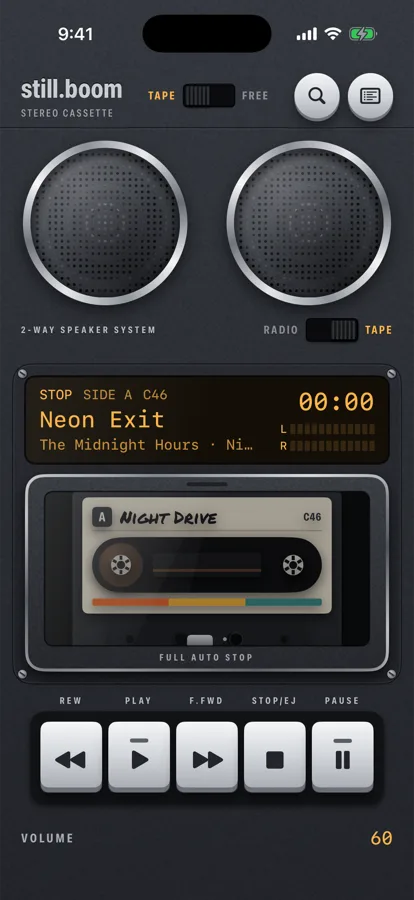
still.boom makes the picture worth posting: your song on a cassette deck, reels turning, the title on the amber display.
Make the video, step by step
-
Play the song
Put the album or mixtape in the deck and play the song you want to post. The video shows what's on the deck right now.
-
Tap SHARE on the body
It's a small key printed SHARE. Holding the phone upright, it sits between 2-WAY SPEAKER SYSTEM and the RADIO switch. Turned sideways, it's above the TAPE / FREE switch. The Share what's playing screen opens with a live preview.
-
Choose Upright · Stories or Wide
Upright · Stories makes a 1080×1920 video for Stories, Reels and TikTok. Wide makes 1920×1080, for YouTube or a horizontal post.
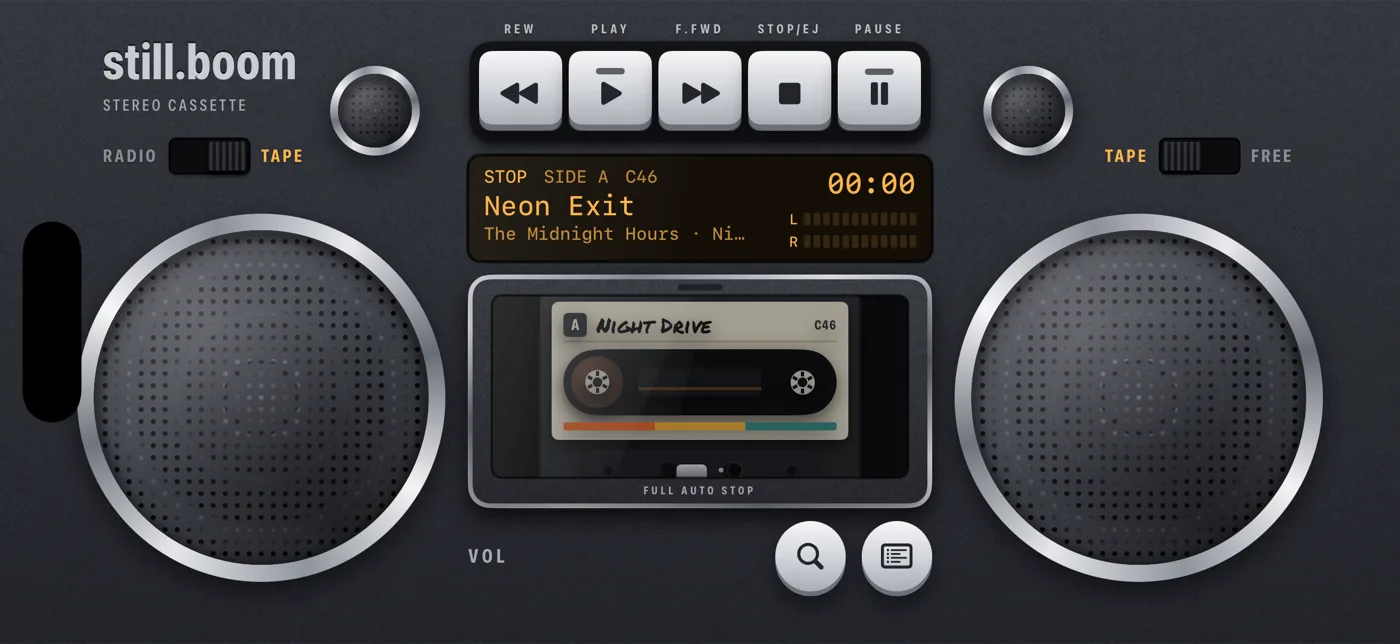
turn the phone and the deck goes wide too -
Tap Make video
still.boom records 5 seconds of the deck (the button counts up while it records), then opens the iPhone share menu with the video.
-
Send it to Instagram
Pick Instagram in the share menu and choose Story or Reel. Or tap Save Video, open Instagram, start a Story or a Reel and pick the video from your camera roll.
-
Add the song in Instagram
Story: tap the sticker icon, choose the music sticker, search for the song, pick the part you want and tap Done.
Reel: tap the audio (music note) button, search for the song and pick the part you want.
Some accounts and regions see fewer songs or no music sticker at all. That's Instagram's limit, not the video's.
What you'll hear in the clip
The video has the deck's own sound: the cassette door shuts, the PLAY key clicks, a soft tape hiss fades in and out. Then it goes quiet. That quiet is for your song: the track you add in Instagram comes in after the click, as if the deck just started it. If the app gives you a volume control for the video's own sound, keep it up for the click or turn it down for just the song.
TikTok works the same way
Upload the upright video, tap Add sound and search for the song. TikTok's library is its own, so check the song is there before you film.
Questions
Can I share Apple Music straight to an Instagram Story with sound?
Not with Apple Music's share button: it posts the cover and a link, and your followers tap through to listen in Apple Music. For sound, add the song with Instagram's music sticker, on a video or a photo.
Why is the still.boom video quiet after the hiss?
Apple Music songs can't be recorded, so the video leaves room for the song you add in Instagram or TikTok.
How long is the video?
5 seconds: turning reels and the song on the display, with the still.boom name and stillboom.com on it.
Does it work for Reels, TikTok and YouTube Shorts?
Yes. Use Upright · Stories for all of them, and add the song with that app's own music picker.
Can I share a mixtape this way?
Yes, play the mixtape and tap SHARE. To send the whole mixtape so someone can play it, send its link instead: how to send a mixtape.