How to make a mixtape on Apple Music
Apple Music itself only makes playlists. To make a real mixtape on iPhone, with songs recorded onto a cassette, side A and side B, a handwritten title and a note, use still.boom: open Settings › Gift a mixtape, pick a cassette, name it, choose C46, C60 or C90, add songs and tap Save. You get a card and a short link to send.
- Open the library, tap the gear: Settings
- Gift a mixtape → pick a cassette
- Name it, add a note on the second line
- Pick C46, C60 or C90
- Search songs, tap +: side A fills, then side B
- Save → the share card with your link
Playlist or mixtape?
In Apple Music you make a playlist: Library › Playlists › New Playlist, then add as many songs as you like. A mixtape is different on purpose. It has a fixed length, two sides, a title written by hand, and it plays like a tape: side A from the start, a soft hiss between songs, then you flip to side B. That's what still.boom records, using songs from Apple Music.
Make a mixtape, step by step
-
Open Settings
On the deck, tap the round library key at the top right (the one next to the magnifier), or press STOP/EJ to open the cassette door. In the library, tap the gear at the top right to open Settings.
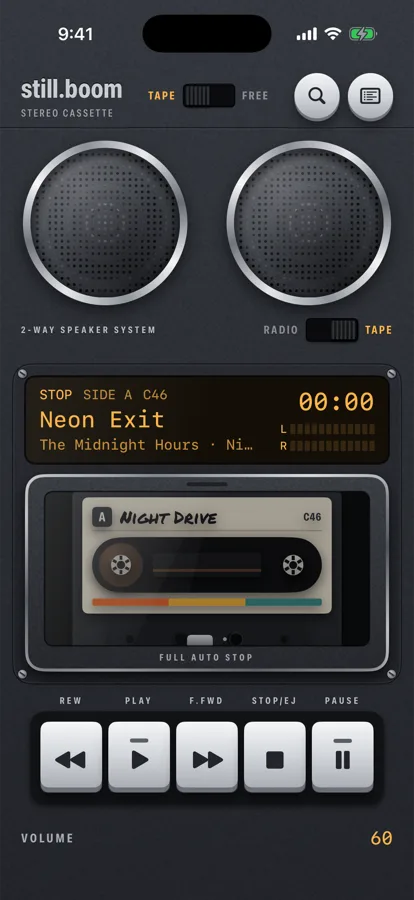
the library key is the round one, top right -
Tap Gift a mixtape
It's the row that says Record songs onto a cassette and send it as a link.
-
Pick a cassette
The New mixtape screen shows every cassette design. Whoever gets your mixtape sees it in the design you pick here. The Graphite cassette comes with the app. A cassette with a lock comes with its body (Pink Camo, Halloween): tap it to buy that body once, and its cassette is yours too.
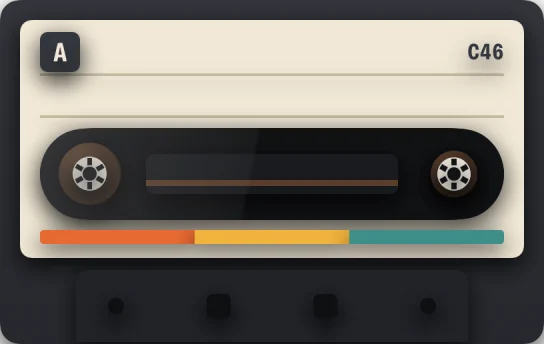
Graphite 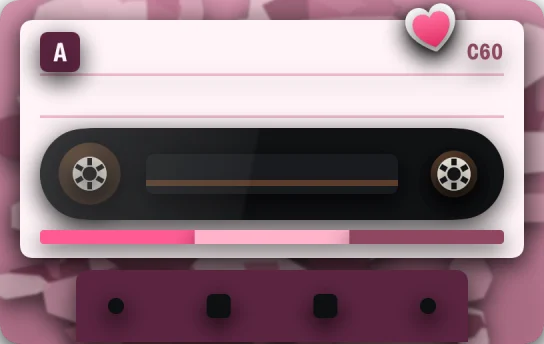
Pink Camo 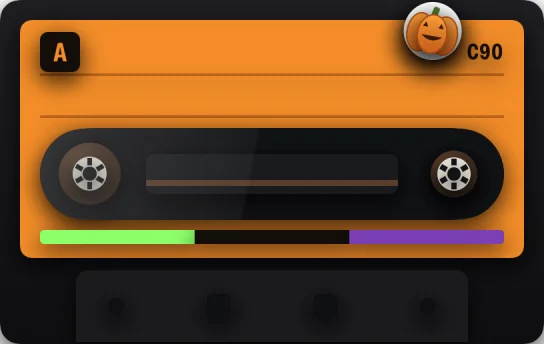
Halloween -
Name it and write a note
Type the title in Name your mixtape. It goes on the cassette label in handwriting. Under it, A note on the second line takes up to 40 characters: a dedication, a date, an inside joke.
title on the first line, your note on the second -
Choose the tape length
Like real tape, the length sets how much music fits. Half of it goes on each side:
- C46: 23 minutes on each side
- C60: 30 minutes on each side
- C90: 45 minutes on each side
-
Add songs: side A first, then side B
Search in Songs on Apple Music and tap + next to a song to record it. Songs go onto SIDE A, and its header shows the time used, like 12:40 / 30:00. When side A is full, a grey SIDE B appears and new songs go there. To take a song off, swipe it to the left.
If the last song runs past the end of the tape, still.boom says so: remove a song or pick a longer tape. Only songs from the Apple Music catalog can go on a mixtape, so it plays for anyone with Apple Music.
-
Tap Save
The mixtape is saved and the share card opens: your cassette, the title and the track list written by hand, with Share and Copy link underneath. Next: how to send it.
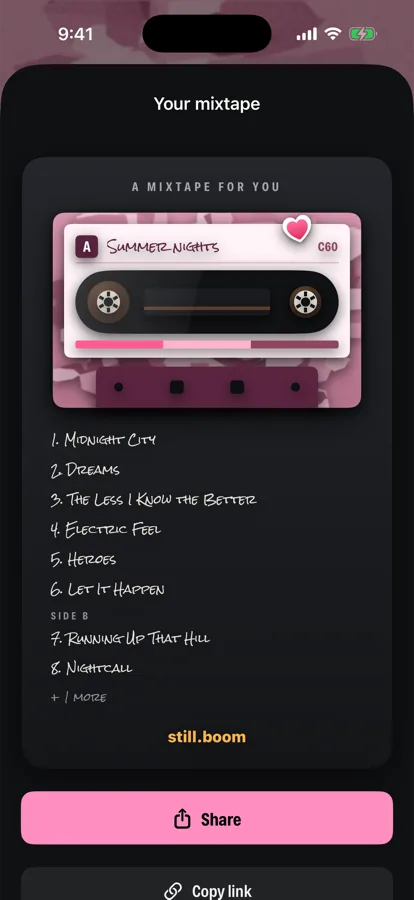
the card that goes out with your link
Change it later
Your mixtapes live in the library on the MIXTAPES shelf. Press and hold one for Share, Edit or Delete. If you change the songs, the mixtape gets a new link; a link you already sent keeps the old version.
Three habits of a good mixtape
- Open with the song that explains the tape. The first one sets the mood for everything after it.
- End side A on purpose. The deck clicks off at the end of a side, and the last song before the flip is the one they remember.
- Use the second line. A short note makes it a gift instead of a list.
Questions
Can I make a mixtape in Apple Music without another app?
Apple Music has playlists, not mixtapes. You can make a playlist and share its link, but it has no sides, no tape length and no handwritten cassette. For that you need an app like still.boom that records Apple Music songs onto a cassette.
How many songs fit on a mixtape?
It depends on the songs. A C60 holds 30 minutes per side, so about seven 4-minute songs on each side. Take a C90 for longer mixes, a C46 for a short one.
Can I add songs from my own files?
No. A mixtape holds songs from the Apple Music catalog only, so the person you send it to can play every song.
Does the person I send it to need the same cassette?
No. They see your mixtape in the design you picked, even if they don't own that body.
Do I need Apple Music?
Yes. still.boom plays music from Apple Music, so you and the person who gets the mixtape need an Apple Music subscription.